Quick Navigation
Television Can Be Expensive (It Doesn’t Have To Be)
One way that my wife and I have saved money over the years is that while most of our friends have cable or satellite TV, we’ve never paid subscription costs to receive TV programming. We like to watch TV free.
That means that we are saving ourselves a good chunk of money every year. If you’re in debt, you probably shouldn’t be paying for TV either!
Rates for cable in our area range anywhere from around $12/month for the basic package with only local channels to well over $100/month for upgraded offerings with premium channels and shows.
We probably would have ended up going for a middle of the road package, somewhere between $50-60/month. How much have we saved every year by not paying subscription costs for our TV entertainment? Probably between $600-720! That’s a lot of money! The good news is, TV doesn’t have to be that expensive! In fact, TV can be cheap or free!
While we haven’t paid for cable TV, we haven’t exactly been deprived, or had to watch only the shows offered by the over the air networks. There are tons of free video options out there! In fact, we actually still watch a lot of the same shows that our friends do. How do we do it you ask? Through a combination of free over-the-air digital TV, free online video services (the legal kind), a video streaming software, super low-cost internet service, and a Xbox.
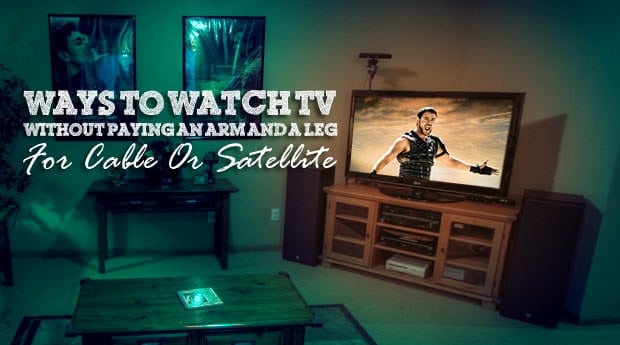
Our Low Cost Home TV Setup
Here’s how we watch TV at our house. Keep in mind that this package isn’t free, but it is lower in cost than the above mentioned $720/year package. Things we needed:
- TV: A TV to watch your shows on! – Cost: Free (you probably already have one)
- PlayOn Media Streaming Software: The PlayOn software allows you to stream online video from popular services like Hulu.com, Netflix, Amazon Video, the big networks and a myriad of others straight to your TV through a networked media device (see below). They also have a feature if you pay for the “Plus” version of the software that allows recording of series of shows, and automatic skipping of commercials. They even allow you to record your favorite Netflix or Amazon shows so you can take them with you on the go (with no need for internet). It’s essentially a home DVR for online video. Cost: Limited functionality free version, or one time fee of $59.99 for lifetime license. Monthly or yearly subscriptions are also available.
- Networked Media Device – Like Our Xbox 360: You can get a brand new Xbox 360 for around $100-150 nowadays, sometimes cheaper. We just got our second one for $75 from a friend. Tons of other networked media devices are compatible as well including Ipad, Iphone, Google Chromecast, Playstation 4, HP Mediasmart TVs, and Nintendo Wii and Roku devices. Check the link above to see if your device is supported. – Cost: Free-$200 (depends on if you have one of these already. If you don’t have one already, I recommend the uber-cheap $35 Google Chromecast or Fire TV)
- Affordable Home Internet Plans – FreedomPop offers 100% free home broadband. There is a one time cost of $99 for their home wireless hub (act as a both a modem and rougher in one), and you get 1GB of data a month completely free. You’ll need a little more data if you’re into streaming videos a few times a month, but you could easily get by with their 10GB/mo plan for only $18.99 if you only watch shows a few times a month like me. Check them out here.
- Video Streaming Services: There are tons of online video streaming services like Hulu.com, Netflix, Amazon.com Instant, CBS.com, Philo, YouTube, Comedy Central, HGTV, and ESPN that support the PlayOn software! The software also now supports plugins, so additional channels are appearing all the time including the Food Network, NBA/NFL content, and others! – Cost: Free
UPDATE: Check out my updated cord cutting package and recommendations
In our case, we already had everything at our house, except for the PlayOn software. So for this setup we paid $59.99 for a lifetime license for the PlayOn software, plus the $8.99/month for the basic Netflix streaming package (get it, it’s worth it!).We were also already paying for Amazon Prime, so we got free streaming TV shows and movies with that membership.
The total cost was $168 for the first year, and $108 for every year after. That is a lot cheaper than if we were paying for cable!
Here’s a video showing how easy it is to install PlayOn.
For a more detailed look at installing Playon, check out this post on Installing Playon.
So here’s how the above cited items are setup at our house in order to stream video from the web, to our TV
 The PlayOn software is installed on our home computer connected to the network.
- Once installed PlayOn has a media server running in the background that pulls in shows from major video content providers, and allows the PC to pull in the video streams in the same way that a web browser does. From there you can set it to record shows, record entire series, or record new episodes. Or just watch a stream live.
- Video is watched on the desktop via the included app, or is sent over the home network and played full screen through a connected device. In our case that means the Xbox 360, Nexus tablet, Fire TV, Samsung Galaxy Smartphone or Chromecast connected to our 50″ Plasma TV. We can control playback via a smartphone or tablet via the PlayOn app. We can watch our shows on whatever devices we want!
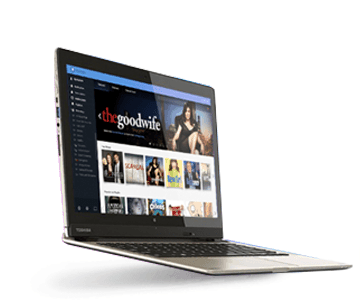
Here’s an explanation of how Playon works from the software’s website:
PlayOn is a streaming hub which organizes all of your favorite online streaming sites and all of your personal media into one convenient location on your PC…It offers content discovery & management and functions as a media server and online DVR all wrapped into one easy-to-use interface.
Watch Free Over-The-Air HDTV

The setup I talked about above is only one way to get free or low cost TV content. Another way we get free content at home is through the free over-the-air HDTV channels that are now available to everyone who has a HDTV tuner and an antenna. Did you know that 94 of the top 100 watched shows are shown on network television – that you can get over-the-air?
If you have a TV with a built in digital tuner and a simple HDTV antenna, you should be able to just turn your TV on, do a channel scan and get all the network TV stations in their full HD glory! In fact, in many cases you’ll get a higher definition signal when watching over the air as they are often sent in lower definition via your cable provider.
Check for your local digital stations here.
Which antenna do we use? We have the Mohu Leaf 50 digital HDTV antenna (review at the link). We love it and we are able to pull in 35 strong channels over the air, and another 14 with a low signal! I’d also recommend the SMARTenna from Channel Master.
If you’re one of the 10 people who still have a regular TV, you’ll need to buy a digital converter box to watch TV in conjunction with your antenna, and once you get one, you will then get tons of crystal clear TV stations for free! When we switched to watching Digital TV years back we instantly gained about 5-10 TV stations because some channels have the main channel, and then sub channels as well.
Honestly we could probably survive on our over the air channels alone, although my wife likes to have our cable TV fix every once in a while – which is why we have PlayOn.
Watch an unboxing and setup of our digital antenna that we use to watch over-the-air TV channels here:
Over-The-Air DVR
If you’re using an antenna like the Mohu Leaf, you can also buy an over-the-air DVR, similar to what you would use from your cable company, but with more features in some cases.
Some of the better OTA DVRs include:
- Tablo DVR: The Tablo DVR allows you to watch live TV, record shows or record series, much like a cable company DVR. It also allows you to watch recorded shows or live TV on all your devices like set top boxes, phones, tablets, etc. A comprehensive Tablo review can be found here.
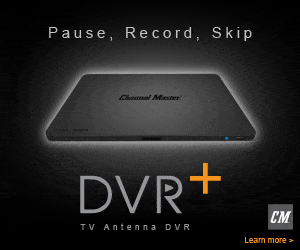
- Channel Master DVR+: Channel Master DVR+ will allow you to record shows or watch live TV, in addition to viewing streaming video from a variety of sources. Rumored to be adding more streaming TV channels and possibly Sling TV into their guide soon. Channel Master DVR+ review here.
- HDHomeRun Extend Tuner & DVR: The HDHomeRun Extend is a network over-the-air tuner that will sync up with their HDHomeRun DVR software, or with a third party software like Plex to watch Live TV and record your favorite shows. I use it in conjunction with Plex Media Server and it works great! Read a full HDHomeRun Extend review here.
All three of the ones listed above allow you to record over-the-air shows and then watch them on your TV. On the Tablo and HDHomeRun you can also stream them to a tablet, phone or the TVs in your house using devices like the Fire TV, Roku or Chromecast (Adding a Slingbox 500 to the DVR+ will accomplish the same). Definitely worth looking into if you’re a cord cutter.
Watch Free TV Online
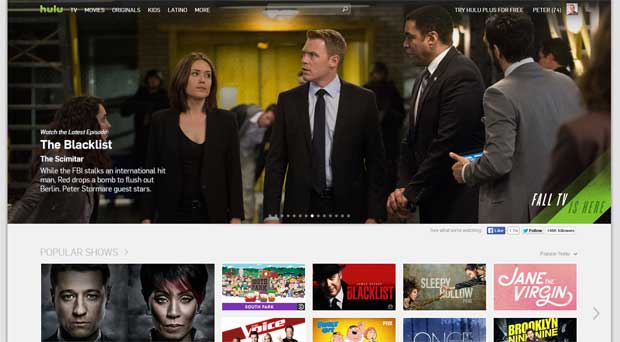
In addition to the options above, you can also watch TV for free through a variety of websites online. While it isn’t as fun to watch the shows on a small computer monitor, it is still a good option I think. Many of these online options may be available for streaming through the PlayOn software in the future as well.
UPDATE: You can now watch video from any streaming website on your TV using your Google Chromecast. Check out details of how to stream video from your computer to your TV here.
- Hulu.com: probably the best one out there in my opinion, already works through PlayOn, but you can watch it on your computer as well if you’d like.
- TV Network Websites: ABC, NBC, CBS all have good full episode streaming options available.
- Crackle.com: Watch tons of movies and TV shows.
- Pluto.TV: Tons of free content in a cool online TV network format that’s compatible with Chromecast and other devices.
- Veoh.com: Tons of content, including TV shows!
- Sidereel.com: I’m new to this one, but it looks to have lots of good free TV options.
- AOL Video: Both short and long video clips and full shows.
There are a ton of other free video sites out there, this list only lists some of the ones I found to be the best. Have some free online video options that you use? Let us know about them in the comments and maybe I’ll add them to the list.
Rent Movies And TV Shows – And Use The Library
Another low cost option to get your TV and movie fix is to either rent your TV shows and movies, or to get them from your local library. My favorite options are:
- Redbox: Redbox allows you to rent a new release movie for $1 a night, which is an extremely low cost movie rental option. Search for coupon codes online for free redbox rentals, and it can be even cheaper!
- Netflix.com: Slightly more, but the added convenience of keeping the movies and TV shows as long as you want, and being able to stream a selection of movies and TV shows over the computer, or networked media device. Netflix is getting better all the time, now with great original series like House of Cards. Find all plans and how to maximize your return on this post: How Much Netflix Costs.
- Amazon Instant Video: Amazon Prime members can stream hundreds of movies and TV shows included in their $79 yearly Amazon Prime membership. Other premium or recent movies and TV shows may have a purchase or rental cost. Amazon Instant streaming is now integrated with Xbox 360 and a variety of other media players.
- Vudu.com: Watch hundreds of TV shows and movies for a low cost.
- Sling TV: Online streaming cable replacement service. Starting at $25. Ready my full Sling TV Review here.
- Fubo TV: Fubo TV is a relatively new streaming service that has a ton of live TV stations, and specializes in sports content – for $54.99/month. Read a full FuboTV review here.
- YouTube TV – $44.99/month: This service has quickly become my favorite cable TV replacement streaming service, if you need to watch sports. It offers a ton of channels and an unlimited cloud DVR, ability to get local and national sports channels and more.
- Philo TV– $28/month: Philo TV is our current favorite streaming service. We pay only $28/month and we get 70+ channels. The only catch is there is no sports or news channels included since those are some of the most expensive. Read my full Philo review here.
- Your Local Library: Your local library will most likely have a decent selection of DVD movies that you can check out for a week or more. My local library tends to be a bit picked over, but if you get on a waiting list you can usually find movies or TV shows you’d enjoy watching.
- Borrow From Friends: Borrow movies and TV shows from friends and family. They already own a ton of DVDs, they may as well get some use out of them!
Conclusion
A lot of people pay a lot of money in order to be able to watch the TV shows that they want, when they want. In the process they end up spending upwards of $500-1000 a year, mostly for programming that they don’t watch. If they would just look a little deeper they might find that there are a lot of free or low cost options out there, and they can get a lot of the same TV shows, movies and other video content for free.
My suggestion? Read this article, do some research, and find your own low cost option for watching the TV shows that you love. If you put a few of these tips above into practice, you can save thousands of dollars, just like we have.
Do you have other suggestions for low cost or free options for watching TV? What setup do you have at your house, or do you still pay for cable or satellite TV? Are there shows that you think you can’t get by using these free video options? Tell us your thoughts in the comments!
UPDATED POST: Cutting The Cord And Getting Your TV On The Cheap
- The Great Big Cord Cutting Manual For Cost Conscious Consumers
- The Best Alternatives To Cable TV: Top Live TV Streaming Services
- 17 TV Apps And Live TV Streaming Services To Watch TV Free
- Mohu Curve Review: An Over-The-Air Antenna To Help You Cut The Cord
- PlayOn Online DVR And Video Streaming Software Review
- Playstation Vue Review: Streaming Cable TV Alternative For Cord Cutters
- Plex Media Server Review: Cord Cutter’s DVR And Media Hub





Boxee is another option.
We had a sweet setup for awhile with Boxee and Apple TV, but then Hulu took the content away. :( We returned the Apple TV and then learned about this workaround.
Seems slightly unethical and complicated to me.
We actually enjoy snuggling in to bed once our children are in their beds. It’ss nice to sit in bed and watch TV together instead of being in separate chairs or on the couch all smooshed.
I’ve heard of Boxee, although I think you’re right, they blocked that one for Hulu.
I don’t follow your second point, what seems unethical – and difficult? If you mean Playon – I’m not sure why it would be unethical. You still have to watch all the ads that Hulu/other services put in the content, as watching TV through playon is basically the same as watching it through your web browser. So you’re not really stealing content or anything like that. Just watching it with Playon instead of IE or Firefox.
As far as setting up Playon, it’s as simple as installing the software, and then turning on the TV/Set top box, and selecting to watch video through playon. (some setups may need a couple more steps due to anti-virus software, etc)
When I did a post a while back a a commenter mentioned Sling.tv and TV.com
Another way to watch TV for free is FTA (Free To Air) satellite. Receivers can be bought for as little as $50.00 on Ebay and if you have a bid C band dish or a Ku system 36″ dish you’re in business. Companies like Galaxy marketing, Sadoun Satellite Sales,and Satellite AV sell complete systems. I watch ABC, NBC, CBS, FOX.CW, This, AMG, White Springs, RFD, and many religious stations in English and Spanish. All For Free.
Hi,
This is a question about the very short mention on F.T.A. TV. What stations can I expect to see? I used the C band & K for sports like NFL etc. years ago. It is still sitting out back, all 10′ of it. I don’t mind getting a decent HD F.T.A. box, but how many will I need, one for each TV? Will programs like NATGEO still be there? History & HGTV & especially ESPN?
Thanks for the link. I think going without cable is a lot easier now than it was even 5 years ago.
Thanks for the link to my post! Within that post I have 2 more posts linked that show how I got rid of cable.
For me, cable is a pretty unnecessary expense at this time.
Good post and hopefully the word spreads!
We use our PS3 for watching Hulu. And we have a Netflix account. Sadly, we still have satellite. But if they ever start live streaming some of the sports stuff my husband watches…We get MLB.tv online, but everything else he watches requires cable/satellite *sigh*
That’s the only reason I’m still really tempted to get cable TV – so I can watch my Minnesota Twins, Wild, and other sports teams. That and the History Channel.. :) For now I’m having willpower.
There are many web sites where they have live streaming of various sports like tennis, soccer, nfl etc. I myself watch like that…
free tv shows and movies…google, freetv
History channel now has an app!
Can you get ppv and can you choose your own shows to watch.
What advantage does Playon have over an S-video or DVI cable going from the computer tower to the TV?
For me, it means i don’t have to have the computer hooked up to my TV, i can stream the shows over the network and have my computer in another room. It also means I can watch the shows full screen, using my remote and/or Xbox controller, to pause, skip, select shows, etc. It’s also more convenient for me than having to navigate to a website, and surf around using the keyboard/mouse, and having all that computer hardware sitting on my coffee table.
Playon may not be for everyone, and if you have a computer right there next to the TV, that might be a viable option as well – especially if you can hook up the audio from the computer to your stereo.
I used to have my computer hooked up to my TV and stereo, but that drove me crazy because in addition to the sound from what ever program or video i was enjoying at the time I would also get every system sound blaring through the room. Every time an email came, “ding”; every instant message, “ding”. I am much happier watching the same stuff through my xbox 360.
This is a great overview. We’ve been using the Roku box for Netflix for a few months and I definitely think we can do without cable. This article gives me plenty of options to think about.
Another one to add is boxee.com basically the central place where you can stream from multiple sources. I think if this continues and it becomes easier for users to watch TV from computers on TV this will increase.
Craigs last blog post..The Ways to Combat Whooping Interest Rates
Great explaination of things you can do. You can use the PS3, Xbox 360, or even XBMC on the Original Xbox to connect to PlayOn. Also check out Tversity. It offers a lot of the same functions as PlayOn and some more. Handles local file better too. Both products are great and I run both. Each one has advantages.
I agree, Tversity is another good one. They each do things well, and others not as much.
Does Playon take the place of Xbox Live? I was about to pull the trigger on getting my 360 set up with Xbox Live, not so much for the online gaming, but for the streaming video through Netflix. Playon sounds like it is cheaper, but I’m not sure if it is the same vehicle as Xbox Live to get to streaming video for TV & movies.
Xbox Live and Playon would be separate. Xbox live allows you to stream netflix movies/tv shows without playon (obviously you still have to pay for netflix). You can also rent tv shows and movies through xbox live marketplace and download them to your hard drive. That isn’t cheap though.
Playon works separately from this stuff. It also streams netflix (although native xbox netflix streaming works much better in my opinion) and also streams a ton of other video services like hulu from your computer – to the xbox. Again, to get netflix you still have to pay for the $8.99 streaming package.
Basically, when you go to your xbox and select to view video, you can view video from the xbox’s hard drive (stuff you download from xbox live), or from one of the connected media servers. Playon would be one of the connected media servers (in addition to the built in media server in windows vista -which only has limited streaming capabilities). Does that make sense or did I just muddy the water even more?
Thanks, Peter! Makes sense.
I’m still wondering, though, which source I need. What I want to do is watch full episodes from CBS (CSI, Criminal Minds), so do I need Playon, or would Xbox Live do the trick? (I think I may have to get Xbox Live regardless to download the program to make it possible to play the old Xbox games on the 360.)
Also, in saying the Xbox Live streams better, what do you mean by this? Does it down load faster? Less interruptions during viewing?
If you only wanted to watch certain shows, you could double check on Hulu or one of the other Playon supported services (CBS streaming for example), and see if those shows are streamed through their online services. if they are, you should be able to use playon at no extra charge. I know for a fact that CSI shows up in Playon, as we watch that show quite regularly. I’m not sure about the other one.
As far as the xbox streaming netflix better – i think it is better because the shows stream with fewer/no interruptions through the xbox netflix interface – although it seems to work fine through playon too – it just has a few more interruptions and the interface isn’t as slick.
On Xbox live to download TV shows (unless they are netflix and you’re already paying) it would cost for each show you download – kinda like renting a movie.
A’ight, so bottom line is I would not be able to watch CBS.com (current episodes) without playon?
not for free i don’t think.. unless you did some illegal bit torrent or something like that. :)
The TV content is free supported by ads, and streamed from sites that have paid for the content. Granted some of the movies might be torrents. Sorry, not to many free movies sites out there.
Great article by the way. Well written and great research.
Brad
If you don’t mind old movies, you can legally download public domain films. Google public domain movies to get a list of sites.
Thanks Peter, I’ll keep struggling till we get more services or something is invented to conquer their strangle-hold on the country folks! Thinking about moving to Columbia Mo. though, and they are much more advanced there!
As much as I’ve tried to use this same plan to justify an Xbox 360 the wife just isn’t buying into that one. She does love Hulu though and we’ve resorted to that for plenty of SNL goodness.
Paul @ FiscalGeeks last blog post..Manage Your Passwords and Protect Your Identity
Great analysis Pete – it is pretty cool how technology is offering us so many options!
Great Post, I agree too, Tversity is another good one.
You forgot to mention “You still need to keep at least one (wire/cable) for Internet access”
One way or another, you are going to have to pay either the local monopoly cable company, or the local monopoly telephone company, for broadband Internet access. And they tend to often charge *more* for Internet only, or refuse to sell it, mandating you pay for a bundle that includes either TV or phone service.
I do pay for internet service, you are correct -but I have extremely fast broadband for $36.99/month – which isn’t too bad. I would be paying for that Internet access either way -with our without all the TV services – so i didn’t count that.
Who is your broadband provider for $36.99/ month?
Qwest.
Hi,
I just changed my home phone line setup and discovered my 36.99/mo Internet plan is now 19.99/mo for 12 months, then up 1o bucks after that….still cheaper than what I was paying. Call Qwest and find out if they have same deal for you!
PS – I had called to cancel. So, perhaps that was their incentive to offer it cheaper, plus I kept one phone line bundled with Internet to get that price. THe phone went to 35 per month with all free national and Canada calls from US. Plus other features….not a bad deal. Prob. offering because everyone is cancelling to cut back on expenses.
Great information, I just passed this article onto my husband. Thanks for the post!
Great post! There have been some rumors that Hulu is going to start charging for the content in 2010…so it’s always nice that the shows are also on the network pages!
I’m a huge fan on Netflix. I have the basic package (~$9/month) and watch a ton of TV shows and movies through the streaming online option.
I’ve heard that rumor about Hulu starting to charge for content. If they do start charging i certainly hope they keep it cheap – or have a two tiered system – one with ads for free, one without.
Thank you so much! This was very useful.
Jackie @ Lilolu´s last post ..Oh, How I Miss My iPhone
This may not be for everyone, but if are in the US, and you already have a somewhat fast PC with a large enough hard drive, a home network, and an Xbox 360 on a TV, you can get an HD TV card with 2 tuners and record up to two TV programs at a time. I am using an HDHomerun, because I like the fact that it’s not physically in my computer, but there are cheaper alternatives. The Windows7 version of Windows Media Center has greater HD quality than most HD recorders offered by cable/satellite/ and others that cost over $400.00 per box if you were to buy one! Some cable companies deliver QAM signals also, so even if you only have the most basic cable signal, you may be getting free unencrypted digital signals over that line (check with your cable company), or you can also use an antenna for free, like me.
hey all a great site i found for watching free tv online is TopFreeTv.info. good selection and constantly updated.
Great article Peter, thanks. I’m going to try doing this with the WII I bought my kiddos last year. Hope it works.
WIll this work for mac?
Hey, great article. I really want to try this, but I have an imac. Any suggestions?
hi
we watch shows online using the laptop connected to tv thru hdmi, we have dsl connection.
i was thinking about getting another laptop, keep it just for that purpose, is that a good idea. what is the min. speed for the laptop in your opinion?
also with that i was thinking to get a presentation wireless mouse, to navigate thru the different websites.
we don’t have xbox or wii or ps3, not interested in games, so is having a dedicated laptop better solution for me or getting a gaming system?
thanks.
It really depends on your personal preference I think. I can’t tell you how powerful of a laptop you’ll need, but it should probably be powerful enough that it can allow you to watch streaming video/etc. Because of that many netbooks probably won’t fit the bill. Most other entry level laptops probably would work fine.
I also have an old computer hooked up to our tv, which we can use in a pinch for this type of thing. We use a wireless mouse and keyboard to control it. It works just fine.
Personally I prefer having a game system as it just works well for watching TV/movies/etc with the remote. I’m sure, however you could probably find a similar option for a remote to use with the laptop – it would just probably cost a bit more than an xbox.
I have 2 PS3, can I use one playon in one PC to control 2 different TV? Can I use one Playon license for more than one PC? Can I have 2 PCs with playon seperatly control two TV2 at the same time?
Thanks,
Dan
To be honest, I’m not sure? I think the license only allows you to use it on one computer at a time?
How can you integrate the signal between online and antenna into the TV?
If I buy a TV with a RJ45 port, can I connect to the internet cable and start to pull free on-line contents to watch ?
Thanks,
Dan
The TV will have a tuner built in, and you can use your antenna to pull in over the air content. The online things will be streaming from your connected computer to your Xbox or other network media player. Or you can just hook the computer up directly to the TV.
Can I utilize the Playon software to stream MLB tv.com games over my wireless network to a tv using a Wii? Netflix just added the Wii as a viewing device; it requires a CD from Netlix but it now appears a choice on the Wii Menu and works just fine. Would it be possible to stream games from MLB,com in the same manner?
My understanding is that you can stream MLB.tv, but I don’t have a Wii or a subscription to MLB.tv, so I can’t tell you for sure.
Hi Peter,
A good samaritan gave me “Toshiba” satellite receiver box and the dish. He told me that I need to subscribe with either Dish Network or DirectTV to watch any TV program. However, I think that he is wrong after reading your advises. Could you help me to tell me what I need to do further, please?
Thanks, SURGA.
If you want to use the receiver box, you probably do need to subscribe. Otherwise – if you don’t want to pay you can use the system described above. :)
Hi Peter,
I just want to let you know the model of Satellite Receiver ==> Toshiba TSR-101. Can I set up this system and the satellite disc to receive Free-To-Air TV program? Please advise.
Thanks, Surga.
What if I have multiple T.V sets. Can I use them all with your system?
as long as you have multiple media players as well (xbox/playstation/etc) you can have only one computer setup and running the playon server.
Hey, i’m trying this Playon thing out but im from canada and most of the decent things are blocked to me. do you have any idea if there is an equivalent to these stations that i can access? Thanks.
I read your post and I am ready to save 900 a year I do not want to keep spending that kind of money. I was thinking about buying a used wii on ebay and doing the set up do i still need the Playon software? or can I just use the wii to connect ?
thank you
It depends on what you want to do exactly.. If you only want to to watch netflix movies/etc and have a couple of other free streaming options, you don’t need playon. But if you want to get hulu and a ton of other things – you’ll need playon.
by watching tv this way, do you not get a big charge on your internet bill. does it not fall under the downloading category? i am looking to get it but i am afraid that my internet bill will be high. i am not certain of how the concept really works. can you please assist with this?
thank you
Is there any advantage to using the Playon software if you already have a computer with 2 or more video cards that can support more than one display at once?
I can easily drag a blue-ray (or a stream from Hulu or whatever) over to my 60 inch TV and watch it there…and with the free VLC media player I can even be typing or whatever else over here on my regular computer monitor and what’s showing on TV will remain in full screen…
Does the Playon software respond to the remote from the “player” device?
What I love about using Playon is that it integrates very nicely with my xbox 360. I can use my regular remote to watch tv shows, movies/etc through playon, just like i would with a regular dvd player or network media player. i don’t have to have a keyboard and mouse sitting on our coffee table at all times, i can just navigate to the playon folder on the xbox, and start watching shows on the big screen. I also have an old media computer hooked up to our big tv, but i rarely turn it on anymore because of the nice setup with playon.
i use justin.tv as well as steam2watch.com for all my sporting events.felt the same way as others about dropping cable PRIOR to finding these sites. no brainer after that. also have free wi fi internet through open unsecured routers in the neighborhood. secure it on my end with an old linksys router(wrt54g) and free software from dd-wrt.com.you can pick these up cheap on ebay or craigslist( mine cost me a whole 15 bucks!).
ROCK ON!!
Hardware question. We are renters and can’t cut holes or run wires. TV is upstairs (old TV but we want to get a 46″ flat panel on a black Friday special). Computer using comcast is downstairs. We currently have the $12 cable upstairs. Don’t want it any longer. How do I get the “network” to work without drilling holes and running wires. Do I have to get a wireless transmitter for my computer and a wireless receiver for my new TV in order to stream from the playon software to my TV? What external ports do I need to make sure to have on my new TV? Thank You So Much!!!!
Robbie
It kind of depends on what you’re using to watch Playon? Are you using a game console like xbox 360? If so, you’ll need to get a wireless router that is connected to your PC in some way to transmit to the xbox 360 – which will also need to have a usb wireless adapter (unless it is one of the new Xbox units that has wireless built in). Otherwise, if you buy one of the new TVs that have a media player built in that can play streaming media, you’ll just need to make sure it has wireless built in as well. I guess it really depends on what setup you’ll be using – and what you’ll be using to play the streaming media.
My wife and I made the decision recently to drop our premium cable service keeping basic cable and internet service. We are saving $100 a month and kick ourselves for not doing it earlier. Our kids watch their favorite shows on Netflix and PBS and I get ESPN on my Xbox 360. Why don’t more people do this?
Great article! Thanks! Question for you…I read threw most of the posts and maybe I missed this but what about other tvs in the home? My kids have tv’s in their rooms. Would we need separate “everything” for each tv?
unfortunately, yes, you’d need a separate box on each tv in order to do this..
Not sure if anyone has mentioned this: We pay for standalone high-speed cable Internet service. I connected a digital splitter so that one cable goes to the modem and the other to two TVs in our house. For the price of Internet service, we also get all the over-the air stations (cable quality). These include PBS (5 stations), CBS (2 stations), ABC (3 stations), NBC (3 stations), Fox (2 stations) plus an assortment of other over-the air stations in the 70-100 range–where the local access stations are also located.
BTW, I am posting this on 12/19/10. Didn’t see dates on any posts.
If there is no cable is there a way to record programs when you are away (like TIVO)?
No, not really, but most shows you might want to watch will show up on Hulu or one of the other video sources a day or so later usually. So you may not get that immediate satisfaction in some cases.
Hi Peter, I think I need your help…I am so glad I came across your article and as I believe it will save me a lot of money too. I just got express internet service at my new home and would like to be able to see at least basic TV stations (Fox, cbs so on) and I heard of this ‘free over the air’. I am not very good with regards to technical matters and I would like it to be as simple as possible for me to execute :). I have an old TV (won’t get a newer one any time soon) and would like to use the ‘free on air’ option everyone is talking about over the past few comments. So do i just walk into a electric store and get a digital to analog box with an antenna, connect it to my tv and i can just like that receive the channels? Or is there more? Thank you in advance!
Nola – 2/9/2011
Yup, that’s all there is to it. Get a digital to analog converter box/tuner and an antenna, and hook it up to your old tv. You should then be able to tune in your local over the air stations.
Thank you so much, that sounds great! But you said its not free so do I have to register it? I mean I just need the local stations no movies required really.
When talking about registering, are you talking about Playon? If so, yes, you would need to register it after you trial period is up. If you’re talking about the converter box, all that would cost you is the price for the box itself, no registering for anything.
No I think Playon would be too difficult for me to master just yet lol. I start with the converter box and then I see. I am working quite a lot so I don’t have much time for TV just a little. Thank you so much for your help, much appreciated. Cross your fingers pls that it will work, I keep you updated.
Peter! It worked…the box searched for the channels itself and it worked just like that :)…well I got like 14 I think. Don’t really get the torrent part that you were talking about but maybe I won’t need that?? THANK YOU SO VERY MUCH because that made my room mate very happy today.
Nola
Hi Peter,
Posting Feb 2011,
I am spending $190 per month, for High speed Internet service on 5 TV in 5 different rooms. I must bring this cost down. I barely watch TV and when I do watch 90% of it is either Trinity Broadcasting Network (TBN) or DVDs. I have 2 HD TVs with Digital DVR boxes, 2 wieless blu ray dvd players, and 3 older model TVs connected to digital cable boxes.
I am taking Dave Ramsey’s Financial Peace University course – an can no-longer be such a poor steward over the finances God has entrusted to me. I need help,,, making sure that I’m understanding in the SIMPLEST terms possible, what my best options are, to watch TV and not pay out the nose to do it.
I think Netflix streaming is my answer for movies and a lot of the TV shows I enjoy, especially since I barely watch TV (my current wireless home network and blu rey players will allow me to do this right now) so the only cost I see is getting the Netflix streaming subscription and my two primary TV’s are covered
For the older TV’s I think just getting the digital to analog converter box with an antenna is the answer for getting whatever local stations broadcast free over the air – This should be sufficient, as these rooms are empty 80% of the time.
I believe then I can just discontinue the Cable TV service (must keep internet service – I work from home and will need it also for the Netflix video streaming)
So I’m thinking I can return the 3 digital cable boxes, the 2 digital dvr boxes, and discontinue the Cable TV, without missing a beat.( I think I’ll lose the Trinity Broadcasting Network)
This would leave me with just the the netflix subscription and the High Speed Internet subscription,,, combined they would be well under $90/mo
When I’m ready I can purchase (one time investment) the digital to analog converter boxes for the 3 spare room TVs
That’s how I’m understanding my options – based on your expertise is there a critical component that I am over looking? Any suggestions about how I can get Trinity Broadcasting Network (for free if possible)
Sounds like you have it understood correctly, yes. You would pay for netflix ($8-10/month) and high speed internet (we pay $36.99 for ours). As far as watching trinity, i think you can watch some of those shows online:
http://www.tbn.org/
Peter i need the book ” for dummies” about all that you are teaching. I pay 170.00 a month for basically nothing from comcast. I really want to tell them to go to hell for years now. Need help on step by step on what i need to get, do and understand the easy for dummy way. If you can help with one on one teaching me well i rather give you the payment i give freaking comcast. I HATE EVERYTHING ABOUT THEM, EVERYTHING. PLEASE HELP. KAREN
Karen, in a lot of local areas there are companies that will help you to setup a cord cutting package with over-the-air TV, DVRs, etc if you want to get rid of your cable TV. I’d recommend doing a search and paying someone to help you to set it up.
How would I do this with wii station? And I want to have TV in the living room and 3 maybe 4 bedrooms can I do this from one computer? Please explain to me how to hook this free TV system up to all my TVs.
You can use Playon with the Wii. You would just need to have the Internet Channel activated, and then browse to http://wii.playon.tv. Of course you would have to have it installed on your computer as well to be able to view streaming media on your TV via the Wii.you could do it from one computer, and stream to multiple TVs, as long as they each have their own connected device (Wii, Xbox, etc).
Hi Peter,
I have 2 HD TV’s and I can’t find the owner manuels, for either TV. Can you tell me if there is a quick and easy way for me to tell if these TVs have a built in HD Tuner, by looking at the panel in the back of the TVs?
Most HDTVs made these days have a built in digital tuner. If you bought it a few years ago before the new digital tuners were as common, and it was only advertised as an HDTV monitor, that could be the only caveat. Basically if it has a tuner built in usually it will have a video source on the unit called “TV” or something along those lines. Just plug in an antenna, go to the menu, and have it scan for channels. If you have a tuner those options should be there.
Another thing to do would be to check your TV’s model number and then do a search for the brand and model on google. You can usually find a manual that way.
You forgot to mention winamp’s “shoutcast TV” it has varios tv channels including music channels and movies….
hi Peter, could i do the xbox 360 and the playon software via a laptop? would this work? thanks
Yes, this should work, I don’t know why not! :) You just have to have Playon running on the laptop, and have it connected to that same network as the Xbox, and it should work just fine!
HI Peter, i am not knowledgable about this, i am trying to learn. Could you help guide me? The xbox ‘hooks’ to the t.v. and i run Playon on my laptop… am i right to assume they communicate to each other ‘through the air waves’, to show the programing? i won’t have to run any ‘cables’ from my laptop to my t.v.? thank you for helping me out and to understand. steph.
Steph, your xbox would need to be hooked up to your home network via an ethernet cable or wireless adapter, and the laptop should be connected to the home network via an ethernet cable or a wireless card. As long as they’re both connected to the internet and your home network, you should be fine.
we have not had a pay tv service since 2009 it just kept going up it started at 45 dollars a month then went all the way up too 142.00 dollars a month for just 2 tv’s in the house it was insane one day I called up comcast and told them either they make me a deal on the tv service or I was cancelling they told me they could knock it down to 99 dollars a month for two years as long as I wanted to sign up for a 4 year service plan and I had to add on there Voip phone service and after 2 years it would go up to 199.00 a month
I laughed and told then to cancel it that day, I went down to the radio shack picked up a VGA to s-video converter and a surround sound system for 45 dollars hooked the computer to the tv and bam there we had up until about a month ago when I picked up a couple roku boxes
mixed it with netflix and playon and hulu plus for about 20 dollars a month I think I have more then I ever had with cable in the first place and I can pause and play as I want which is great with kids in the house and playon at 30 dollars a year is a steal deal
we have never been happier im not really sure how the pay tv companies are still in business Ill bet they are sweating it right now and in the next few years were gonna see some major changes in the tv industry
Great article, very helpful. Too many comments for me to read them all, but we’ve looked at SkyAngel for TV as well, which used to be satellite but is now streamed over the internet. It’s still $25 a month, which I’m still too cheap to pay, but it would be a different option for those that want more specific channels.
Also, our computer has an HDMI out port, so we just hook it up to our HDTV and get full screen for any website that streams videos. Cuts out the middle man. Something to think about next time you buy a laptop.
Thanks so much for the tip. God Bless you for your kindness.
we got 2 roku’s and after reading in a lot of forums and websites around the internet discovered Playon.tv it works great they have it for every thing from the Ipad to the roku to the android cell phone Ps3 and Xbox 360
we found they have a section in the software for Plugins and include every thing from disney to starz and HBO CBS TNT FX I mean you name it we got it now
for some one cutting the cord this is a good place to look, but the software depends entirely on your internet speed and and computers capability to handle and deliver video, but you get a 2 week free trial so its worth a shot to look and see how it handles for you, we get a good video picture so were happy
Someone let me know when you have a setup to watch HBO or SHOWTIME FREE! Especially the Boxing part! Thanks.
this is rediculous. Use your hdtv as your computer monitor. All you have to do is get an hdmi cable plug it from the computer to the hdtv. then watch hulu on the big screen ,.This is ehat I’ve been doing for years. Honestl;y if you find yourself a good private torrent tracker you can download any tv show you want in full hd without commercials… i don’t mind being unethical. the cable company is.
I agree… If you just be smart and find other ways to get the entertainment without going to cable TV, you would be saving a lot of money. I also agree that you shouldn’t be paying for TV if you are in debt. Use youtube to learn ways to get free tv.
Hi Pete
I just canceled cable and now I will find out what’s available to me through hulu or similar sites and also with just an antenna Are you in Minneapolis? I’ll play CLUE with you!
Didn’t see this mentioned and didn’t pore through all of the comments, but –
Why not just use your computer and plug the video card output into your TV? Most people already have at least one computer – if not a laptop at least some kind of desktop system. Many vid cards have HDMI outputs that will plug straight into a TV. Too easy.
We just bought – and returned – what you refer to as a “networked media device,” an LG “wi-fi ready” blu-ray player. Turns out it wasn’t what I’d call “wifi ready” since you had to buy a proprietary wireless adapter from LG to get it connected to a wireless LAN. (To be fair, if you don’t mind 100′ of CAT6 cable running through your house or drilling a lot of holes and fishing cable, you could hook this thing up that way. But, that’s not what we had in mind.) Anyway, it was on sale for $300.
I have a perfectly nice computer sitting downstairs that I bought and paid for quite a long time ago. That’s a “networked media device” that requires no special wi-fi adapter – just a regular ol’ wireless adapter that you can buy for less than $10.
Yup, that is definitely an option. I think its just a good option to use a gaming console or other network device if you already have one. A connected laptop will work as well, but can be a pain if you have to hook it up every time you want to use it.
I love the comment about telling someone they should not be paying for cable if they are in debt. How stereotypical, judgemental chrisitan of you.
Not sure what saying those in debt shouldn’t pay for cable has to do with being a Christian? Do you really think it is a good idea for someone in debt to be paying for a premium cable package? People are obviously free to do what they want, but paying for a ton of extras while trying to get out of debt probably isn’t the best of ideas in my opinion.
It’s too bad I live in Boon F—– Missouri, the speed I get here gives me yesterdays programs when it works,(seriously) I have what is called Century Tell (extended service) That of course mean’s I’m one step ahead of Fred Flintstone in the tech-world. It sucks to live just 13 miles out in the rural area and have to suck hind tit with no advantages! Our netflix speed is too slow to even stream any shows! I guess we’ll have to sell to the Clampits and move to a modern part of the world, think I’ll tear down the outhouse tomorrow and start building that inside bathroom everybody talks about! (just jokin) Any solutions for me???
We’ll try anything Dan, but we have to learn as we go since we never had internet by phone til last year, we have a lot more to learn. We are also not young any more so learnin’ comes a bit slower! HaHa.
I’ll keep my eyes peeled on you guys and your progress, and try to follow your lead! By the way you have all been most informative,and Peter, thanks for starting the subject you truly have helped my frame of mind. I know I threw in a bit of southern humor to keep you all entertained but buy God I am going to overcome this so-called generational gap and get in there with you all. I won’t be a tech. but perhaps I’ll learn how to better utilize my equipment…
I guess what I’m needing to know is (sorry for the stupidity)
can I watch tv without any Internet connection or wifi
or I still need to pay for Internet service for home
also if it’s runs off my phone wifi, how much on an average data would I be using if I watch tv 2 hours or so a night. I ask because there is no unlimited data for iPhone. Thaks for your patiece
also, how would it work with netflix?
You would be limited as to what you could do if you didn’t have wi-fi or internet. You’d probably be limited to over the air TV stations. I don’t know how it would work for running on phone wi-fi, but my guess is your data bill would run up quickly.. Probably cheaper to pay for the internet.
Is there a way to watch cable channels free on my TV, like oxygen, bravo, and E!? I know you covered watching them online thru you computer, but will those channels stream to my TV?
I can’t speak to those channels specifically as I’m not really sure. Typically though if you use PlayOn, as long as the channel is available in the software or as a plugin you’ll be able to watch shows from that network. Not all networks make online streaming available, however, so it really depends. There is a link in the article above to the PlayOn site mentioning which channels are available.
So pretty much if the channel let’s you watch their shows online it should be available thru playon?
Not necessarily, it either has to be built in automatically to PlayOn, or it has to have a plugin available. You can find what plugins are available here. New plugins are always being written, so if you don’t see one now it may show up in the future – especially if that channel has an online stream already.
I just bought Roku box ($99). I also have a dvd player that has the capability to browse netflix, hulu, etc. I have to say that I am dissappointed in Roku. there are hardly any free channels to stream through. Everything is a paid subscription. Also its not live streaming tv, you have to constatnly go through all the episode to select one, which in itself makes watching tv stressfull. I think most people want to watch whats on tv. they want to come home and just see whats on, and space out. Roku and netflix are cheap but certainly do not match up to cable or dish tv. I am very techincal, so finding channels and configuring the boxes was not at all an issue for me. Most of the channels on Roku are paid. There are some free, but that have garbage on it. The free movies are crap, and are rated 1 or 2 stars. I was not able to find any free shows on roku, and the ones i found were horrible, hence they were on roku. I also found some documentries on roku, but who the hell wants to watch that crap. there is also an hunting channel on roku! common, they could do a lot better then that. This weekend I was over a friend’s house and she had cable. Man I miss cable. Yes its more expensive then Roku and netflix, but its a lot better then them. Channels such as discover (the realy discovery), netgeo, hgtv, tnt, tbs, bravo, movie channel, etc are just not on any of these boxes or netflix. the search capability on netflix really sucks, and they keep on removing movies constantly. I have tried, dish, cable, netflix, hulu plus, roku, but i have to say nothing beats cable tv or dish.
I think you are right that nothing beats cable or dish when it comes to to the large amount of content that’s available from a single souces, so I guess it just boils down to how much you’re willing to pay for that convenience.
OK, what about internet to stream all of this content? All of the internet in my area that’s not dialup is only to be had from the cable providors. kimd of defeats the purpose of going the other way when the internet access is $50.00+/ month anyway.
I pay $35/month for my DSL high speed internet, and I would need that regardless of whether I had cable or satellite. I guess the post kind of assumes that others need or will have internet as well.
I use a combo of Roku, a Mohu Leaf antenna (excellent picture quality) to get OTA signals and a Tivo Premiere box as I wanted the option of recording the OTA signals and the convenience of watching them when I wanted to. The Tivo service is $20 a month, but has lots of great features (season pass, Tivo Desktop, online programing to name a few) and is LESS than 1/3 the price of my FORMER dish bill :)
I have Comcast for internet but included the basic TV package since our OTA antenna does not pick up all local stations well in our area. PBS does not come in at all. Playon is a great addition to our Roku which we use with Hulu Plus to catch up on the TV shows we don’t have time to watch when they are on (I’m a Castle addict). I try to keep up with new private channels and plugins periodically. I also have a Touchpad and downloaded a wonderful app for $2 called Video Flood HD to stream other shows I can’t get elsewhere, including HGTV. Not sure if something like it is available for other platforms, but it would be great if a similar app was available to integrate into Roku or Playon.
I pay for cable just to watch Christian and inspirational channels. I get Daystar, Impact, Word Network, Inspirational Channel, GMC, etc. If I could get them another way I would cancel my cable. Most of what I have read in the past were complicated or too teck for me to do. Does your plan work for these channels too? Please be specific. God Bless.
I currently own a tv, computer, netflix, xbox 360, Iphone 3G, 3gs & 4g
We have been teetering but it runs the phones down very fast. Currently we have unlimited data plans but they are becoming obsolete.
I have NO services to my house (cable. wireless, tv package etc…)
I am in an area that supports all options. but NOT satellite, dish etc.. because I live in a apartment complex that does not allow me to hace it.
what is the very cheapest way to use tv?
We haven’t paid for Cable TV since 2005…and we’ve never missed it!
forgot to mention that I have unlimited Data on both phones
those of you who are using your wireless phones for a lot of streaming video……thank you. you are the reason why grandfathered unlimited plans, etc are being stopped. we’ll all be on tiered plans.
Is there any way to get sports live with out cable
I haven’t found any good legal ways to do it. If you find one, let us know!
I’m a 39 yr old single father, custody of my 3 year old, pay child support from my first marriage, (excessive amount in my opinion but I grit my teeth and persevere). Two divorces, debt from first marriage, legal fees. I’ve been swimming in debt for 10 years now. I’m fortunate to have a company match savings plan, and I consolidated all my debt by borrowing against my own retirement savings at 3.75 simple interest. Even having a good paying job doesn’t fix the debt problem quickly however. So I have cut every reasonable corner. Cable TV was gone a long time ago. I started out with my laptop and an S Video cable to my TV. For months I would just browse the web for anything free and entertaining. Then a friend with Netflix let me “borrow” her account for a while and I got hooked on the children’s content alone. $7.99/mo is a steal for the endless videos for my son, and most educational! Later I added the Hulu Plus subscription. I’m still paying only $16 a month plus $38/mo for broadband for my video entertainment vs the $120/mo I was paying for cable and Internet before. I also recently got the Roku player, and just recently downloaded PlayOn. Now a tip for computer users. You can get a USB remote keyboard and mouse. That’s what I did for a year to act as my “remote control”. I still have my laptop going to my S video and use the TV screen as a big monitor. But the various devices like Roku and XBox etc are also great for practical purposes. It makes it much more like watching cable. Another tip. I have a smart phone with YouTube. During lulls at work, I comb the Internet for various websites like “Chockadoc.com” that have a library of Documenaries that they link to from YouTube. I will find a title that interests me, go to YouTube and search it, add it to my favorites, and then when I get home in the evening I access YouTube through PlayOn and watch it. If it weren’t for kids programming on Netflix I’d be tempted to drop my subscription. Oh, another tip. Roku supports developers who create “private channels” similar to the way jailbroken iPhones have some great non iStore apps. One you can get is JustIn.tv …. I’m not promoting this, it’s a perfectly legal streaming service for creating private streaming channels. I’ve seen people stream video of their pet goldfish all day. And If you are easily offended, there are other things you will see, so avoid children in the room if you are browsing the channels. But some people do stream television content. Not promoting this, but if you just HAVE to watch the Superbowl :-) oh and for some sports, Southeastern Conference football comes to mind, some networks like CBS Sports will stream live premium games. And there are always sports bars and grills that have TVs if missing a game would ruin your weekend. Cable TV would not have lost me if they’d modernize their business model to adapt to the digital age. It’s too easy for them to offer packages that allow you to pick the channels that interest you and no more. Last thought. My provider allowance is 50 gigs a month. This is something you should check into because some providers have smaller allowances. Ive yet to consume all 50 in a month but I’ve used 80% before.
Does your internet cost go up if you use internet to tv often.
We don’t use the streaming video options very often, but even in the months that we do, I’ve never had any issues with our rates going up. I’m sure that’s not the case for everyone, however.
My husband likes to watch politics. Can he watch msnbc this way, as well?
Although HULU+ is a paid site you can still watch many FREE movies and tv shows on the regular HULU. Also, another site my husband and I watch a lot is crackle.com which is a legit FREE site for movies and tv shows. The tv shows aren’t of much interest to us but crackle have many good movies and some of their own original shows. If it wasn’t for the fact that you can’t watch a lot of live sports, we would do away with our cable provider altogether. Maybe in time this will be an option?
I think the live sporting events is what keeps a lot of people from canceling altogether, I know it’s still one of the choke points for us.
what am i missing ? dont i need high speed internet First ?
Yes, you need high speed internet. In this day and age most people have that already. If not, this probably won’t work.
IS THE SONY BOX ANY GOOD.
hello i just wanted to say i do like everything that have been said here an will be checking into this soon but i do have an question ,i just brought an 40″tv with hd tv an i have digital box on it but still not able to get but 3 to 5 channel these or the one i get 7,1,2,3/ion ,38/
an one channel wnct9 an thats all what is wrong please help me here ok
Thank you for a well written article. I finally canceled the cable one night after scrolling through countless channels of infomercials and shopping garbage on TV. I realized that out of the hundreds of channels that were supposedly available, I only watched a handful, and I was paying a bunch of money for a bunch of empty “stuff”.
My college age kid went into a bit of shock for the first few days and then found time to spend at a local bookstore (I see that as an improvement). I did invest in a regular ole’ antenna for the TV, so I can catch the local channels (which are about 50 here in TX), and after reading your article purchased a Roku 3. My kid has an Xbox, Wii, and PS3 so streaming online content was already possible, I got the Roku for the main television and not to cause another issue of “shell shock” by taking over the kid’s PS3.
I supplement by watching Hulu, Netflix, and I also got a Chromecast so I can view other content from my computer on the main TV without having to hook it straight up to the TV. As long as the cable is a decent speed, watching content that I actually want to for FREE or paying very little to see it is awesome.
I grew up in the time when cable TV was a luxury, a creative technology that consisted mostly of MTV, not something that folks saw as a necessity. Not having to fork over almost $100 a month to the cable TV company is a liberating feeling.
Hi to everyone tuned into this conversation here. First off, Peter I have to thank you for sharing your advice and putting it out on here for all of us to benefit from. I’m just beginning to embrace this shift in the way TV is consumed. (I’ve admittedly but proudly been without TV and cable for the past 3 years). I just had a projector, a dvd player and a super nes.
I plan to buy a new projector and want to run my apple computer through it to work and stream online movies and shows. In reading all of the advice about playon, I would probably resort to the open air/antenna option mentioned above because I know I wouldn’t watch enough of what playon offers to make it worth the subscription.
That being said, I have a few questions for you Peter and anyone else that is in my shoes:
What should I use to connect the projector to the computer and the open air channels? I have coaxial cable coming into the apartment. Could I potentially use that to connect to the open air channel?
Also, would I need to get a digital/analog converter for the projector, if so what kind should I buy?
I don’t have an xbox or other gaming system. What would be a cheap alternative? Would Apple TV be sufficient? Or Roku? When it comes to all of these devices, I am completely in the dark. I just want to create a seamless connection between a projector, computer, antenna over a cheap but fast wifi connection (possibly FreedomPop). Any advice would be greatly appreciated. Thanks!
~Rob
As far as what you need to connect your projector to the computer, I’m not sure, it’s hard to know exactly without knowing your exact setup. If your computer has a tuner built in you could plug in an antenna like this one to get your over the air signal, and then use some sort of wireless video streaming device to get the video source to your projector.
If you need a cheap alternative to a gaming system I’d highly recommend the $35 Google Chromecast. I did a full review of it here: Google Chromecast review. Basically you can use it in conjunction with services like Netflix, Hulu, Google Play and others for cheap entertainment. It can also stream online shows in your Chrome web browser from your computer over the wi-fi connection. We’ve been using it a bunch lately and love it.
Thanks Peter,
That does sound like a good idea. Great review again! I may opt for that instead of say the apple tv, since the projector is made already to mirror my laptop screen. I would be getting the best of both worlds for a fraction of the price. I could actually get by just keeping the laptop connected and mirror the screen for anything online. With that in mind, I’m curious to know if there exists wireless speakers that I can set up across the room which can stream audio coming from the laptop. Would there be a delay?
Thanks again Peter.
I’m pretty sure there are wireless speakers that you could use to stream audio. I know i was looking at some a couple of years ago that were pretty decent and didn’t have a delay. I haven’t looked recently, however, so I’m not sure what’s available or what would be a good option.
Peter
I don’t do video games, so I don’t have X-box or other. We do have a blue ray player that is wifi capable and can get netflix, hulu and many similar things on it. Is there some advantage to the playon software over the typical blu-ray player access?
Playon allows you to stream a wide variety of video sources to your TV via a connected device. If you already pay for and you’re fine with Netflix, Hulu and a couple of others you get through your Blu-ray player, you’re probably fine without Playon. But Playon would allow you to stream TV shows from networks, some cable networks, and a bunch of other places that you might not be able to otherwise (unless you regularly hook your laptop up to the TV).
I’m amazed that folks are willing to spend $100-$150/month on CATV.
Cut our CATV cord about 2 yrs ago, but we don’t like the main sports shown here.
Also put up 2 antennas in the attic – pointing in different directions to pick up 66 over the air broadcast stations. Almost half of those are religious, so not of any interest to our family, but I suppose folks on this site would like that. Also get 7 PBS subchannels, all the major networks, usually with 2-3 subchannels each, a number of Spanish, Vietnamese, Indian and a French news station. Some are extremely low quality (controlled by the broadcaster trying to have 12 subchannels on a single frequency), but the major channels are 1080i or 720p and fantastic. Visit tvfool.com to see which stations you should be able to get with different types of antennas and mounting difficulties. It also provides compass headings to point the antenna. For most people, the same antenna from 1970 works fine, so no added cost. There is no such thing as an HDTV antenna – only the digital change for signaling happened, nothing different on the RF side.
Broadcast TV is NOT what we all remember. There are lots and lots of channels, stations, oldies, and new shows. In the Atlanta metro area there’s a lot of broadcast stations available. We get almost all of them. Other metro areas should have a similar website – google is your friend.
So – with OTA antenna, major networks and sports on those networks are handled. We are missing “other content” that can usually be found through 1 of the 3 most popular paid services. Each of these services run about $90/yr … that was less than 3 months of CATV costs here, so we are still much, much, much less. Plus, with these paid services, there aren’t any commercials, so an hour show is about 40 minutes, saving time.
* Amazon Prime (also get free 2-day shipping from Amazon)
* Hulu Plus – most streaming devices DO NOT WORK with plain, free, Hulu.
* Netflix
There is overlap, but streaming these during non-peak periods works very well if you have a good broadband connection. My work pays for a low-tier Cable business connection. No limits on the bandwidth this way, but if a home was normal and streamed 1 HiDef 2 hr movie every day of the month, the entire home should be under 250GB of use – no bandwidth cap issue for most DSL and Cable ISP connections in the USA. Forget this if you have cell data. It is too slow for hidef content.
We’ve had Amazon Prime for 6 months now and are just finishing watching the TV and movies on it that we wanted to see. In a month or so, we’ll add Netflix streaming and use it for 6 months to catch up on the tv and movies on on that service.
It needs to be stated clearly that antennas are extremely location specific. Your home receiption will be different from everyone elses – period. Anyone recommending any antenna without specific facts is not helping at all. Those $20 “leaf” antennas only work when you are close to the transmitters and all the stations are in about the same direction. If you have any antenna at all, connect it to a DTV and scan for channels. You could be surprised at what can be received. When it comes to difficult antenna reception – a few tips:
* higher is better than lower.
* attic mounts are better than lower.
* outside mounts are better than attic.
* any obstuction will reduce signal reception – including leaves, trees, hills, walls, shingles, house-wrap, A/C ducts, joists, clouds, and people standing in the way.
* weather matters too, but much less than with analog TV signals. Heavy rains only matter for “fringe station” reception. Strong signals work perfectly regardless.
* It is possible to build an antenna for less than $20 that can receive stations from over 50 miles away. Google for “M4 DB4 antenna DIY” for plans and instructions. A home-built antenna can be specificly tuned to the RF channels in your area. My area still has 5 very important stations in the Hi-VHF range – I suspect most metro areas are in a similar situation, though many stations are broadcasting on UHF now.
The ps3 already has netflix, hulu and youtube. What’s more- by enabling media file sharing on your pc and ps3- you can stream ANY stored video from your pc to your ps3. The Playon software seems completly useless *SCAM. I stream movies and tv shows from my pc to the ps3 every day and it’s completly free. Netflix is cheap as heck- you get a month free and then its like 12 bucks a month. Youtube is also free.
Is there any way to use PlayOn directly from the computer to the TV, instead of using an XBox or other device?
How about XBMC?
I use XBMC as HTPC and use lihattv.com plugin to live tv streaming. it’s absolutely free. lihattv aslo support for other device such as Boxee, Plex, PlayOn, MAG250.
i think this is the best choise to watch live tv streaming without pay anything
Hi , I think I might be interested in this because I’m tired of paying high cost of cable which just went up from 90.00 to 140 in about the last 6 months it just kept going up 10.00 every month, with them saying “its a cost of living increase?!?” , whatever. Anyhow I have done netflix in the passed for movies only though, but I do have some questions if anyone can answer them I would greatly appreciate it.
I see that you can get 48 hours, investigation discovery, animal planet, and NFL/ESPN channels (this channel would be very important for my husband), and a few other channels we watch from time to time. But I am wandering are all these channels a past tense type watching?. I guess what I mean are any of them live like regular TV shows or are they just purchase (rather free or not ) and watch after they have already aired? OR how does it work?
I know that Netflix is like that, (watch last most recent episode etc). That would work for us, except for the NFL/ESPN one. He wont want to watch a football game 1 week after it already aired which I doubt anyone that is a sports fan would. heh.
I have never purchased HULU or anything cause I already netflix anyhow I would appreciate anyone that could help me out with this concern.
Thank you
Rebecca
I dont know if I am making any sense or not but I hope you understand what I am saying.
also how many tvs can be used with this ? or do you have to buy it for each TV that you have?
Playon has to be purchased once, and then you would need to have a streaming device for each TV you want to watch on (Roku, Xbox, Chromecast, etc). For example, you could buy a $35 Chromecast for each TV you want to view shows/etc on. That’s how we currently do it at our house. I believe Playon may even have a special deal right now where you can buy Playon and get a Chromecast for free?
This is not really going to be live TV when you use playon or another source. It’s typically going to be already aired shows that are now available through streaming sites for viewing.
Hulu will give you access to quite a few shows the day after they air I believe if you pay for the service. If you don’t I think it takes a few days for the latest episodes to be available. Hulu is probably the go-to source for broadcast tv type shows.
For football -at our house we just use the antenna and most of the time my sports teams are available on local TV – although some sports may be tougher to get this way – like baseball or hockey games.
Otherwise you’re able to get the shows you want by paying for them in some cases – like buying via Amazon, Google or iTunes.
We live on fixed income and currently Directv and we are paying out over $100.00 a month and it is killing our budget!
We love the channels we are getting with directv and would love it if we were to be able to get the same programs for free or a very small amount to pay for and still be able to watch the premium movie channels like starz, HBO, the move channel, id tv, so on so forth if you get the general idea.
Are there providers over the internet, wifi to the playstation, or wii for free or for a very small yearly amount. I have a seasonal show/program on starz and want to watch it when it is actually being shown.
Peter,
Interesting article given my hate for comcast so I have a question. Are you a football fan? Are you able to watch colIege football?
I don’t care about many shows but the only thing holding back from firing comcast is not being able to watch college football.
I am a football fan but mainly NFL. Sports are definitely one of the holes if you plan to cut the cord. I can get my NFL games just fine but if I want to watch my college team it can be tough.
I checked out play on. I found its list of channels. What I am bummed about is the three main channels we watch: FX, Hallmark, & ABCFamily- are not included on that list. How do I get those stations?
From PlayOn: Networks like AMC and FX tend to split their content between their own websites and video services like Amazon Video on Demand and Netflix.
So essentially you’re stuck watching through those sources older seasons through netflix, or current season via Amazon for an extra fee – especially for some shows which they don’t offer online unless you have a cable tv provider login.
I am so sick of people and others saying “watch tv for free”!!! No matter what system you use, IT IS NOT FREE, YOU STILL HAVE TO PAY FOR INTERNET! In some cases that is more expensive than cable etc.
I’ll stick with the good ol’ local channels and be happy with the cost of my tv watching being limited to the cost of the tv and a cheap antennea. Thanks anyway!
Can I download play on from my laptop or notebook?! My laptop is a 2006 or 2007.
Can I use my 2006 laptop or newer notebook to download play on?!
I have a T-Mobile hot spot live in Livingston Texas in woods 1 channel what do u think is my best option to watch tv
One time fee of $60 for software. $200 for an xbox which must be used because they are more expensive than that. Freedompop one time fee for $99 and then $20 a month because nobody will be happy with the 1gb. $9 a month for netflix.
So cable and internet package is about $700 a year and this is all about $400 for the first year and then after a year when you realize there is a lot you cant get like live sporting events you end up going back to regular cable. Doesnt sem like a big savings. Entertainment costs money. Turn it all off and go for a hike or a bike ride.
These days you’re likely fine spending $35 for a Chromecast or $50 for a Fire TV Stick, and then paying $9/month for Netflix and a similar amount for Amazon Prime. Still leaves a hole for live sports, but if that is important, there may be alternatives. Much cheaper than it used to be when this post as first written.
See my updated post here: Cord Cutting Manual
What you’re suggesting is not cheap at all. Playstation: $200! TV– we don’t own one. We have laptop and desktops and books in our home.
Buying a $35 Chrome stick takes care of most aspects.
We can reward kids with Summer movies for only $8/month on Netflix Or paying $8 a month for Hulu…that’s cheap.
We can block shows from the kids. Change passwords so that we can control what and when they watch.
Agreed. If you don’t already have a game console your best bet is probably going to be a Chromecast, Fire TV Stick or other affordable option ($50 or less).
Hi, We have been considering giving up our Directv for sometime, Running across this forum has made the decision for us. I see that a Chromecast would be needed per TV that you want to use. My question is, Does a laptop or computer HAVE to be used to do any of this? We have a PS3, So would I be able to use the PS3 for Hulu, Netflix, Playon, and whatever other channels we find? And the other question is, On any of these options, can you watch the show/movie live or do you have to wait a week or so after it airs? We are more worried about our shows like Outlander, Game of Thrones, Big Bang theory, Homeland, etc??
Depending on your exact setup a computer may or may not be needed. If you want to use PlayOn for example, a computer is needed to run the PlayOn software. Full PlayOn review here.
If you only wanted to watch Hulu or Netflix, I believe the game consoles have apps you can download for those services.
If you want to mainly watch shows via over-the-air broadcast, you don’t necessarily need a computer. Again, it depends on what cord cutting package you end up with.
As far as watching shows when they air, if it’s a show on one of the cable networks you may or may not get the show a day or two after it airs on a service like Hulu. Otherwise you might need to pay for that particular show on a service like Amazon – which in many cases is still cheaper than paying for cable. Or in some cases you can watch live shows on a service like Sling TV.
The thing to do is figure out what shows you absolutely want, and craft your cord cutting package around those shows.
Very interesting reading. I am wondering if you are familiar with Kodi? I (think) it’s Linux-based, runs on pc and Mac. You can also create a “private” DVR (using an external hard drive is best, since you can get a 2TB for around $80). I’ll admit I need more info! Anything is better than paying ridiculous amounts to satellite / cable companies. Any thoughts?
I am 81 years old. Am tired of paying $66.98 per month for cable.. also pay $51.99 per mo. for internet… and the e-mail has been down for 3 days now. I am in the Atlanta metro area. there is no way I could understand or know how to do what you have. Is there any business in this area that you know of that could set me up. A one time fee would be worth it … my main recreation is the TV and computer. Hopefully Charter will have e-mail fixed so I can receive and send soon. I appreciate any help you can point me to. Thank you.
Good to know, especially for those senior citizens (like me), who have free access to the internet in senior housing but are not allowed to stream anything on their computers! No Netflix, no tv shows, movies, documentaries etc…We survive on email and text-news. Streaming is an “immediate shut-down” offense. Shame on cable networks. President Obama announced recently that all new public and public supported housing will, by law, offer tenents free internet access. Will be interesting if that “free” includes incarceration without streaming.
Well. Thanks do much Peter. Im new to all this technology, not sure i got it all wonder if u could help me. I have an older tv and dont know if or what type of equipment to get maybe an anntena? I look forward to your advice. sorry for my ignorance but i dont know or have a web browser.Thanks, George
You can watch live channels from here
http://hugetv.org/
What I can’t find and don’t want to do without is Music Choice, HBO, Showtime, and sometimes Starz! Anything available with these???!!!!
(sorry, I don’t give out my email)
Wanting local channels as well as options like Netflix and Hulu. Part time user at vacation home in Sneads Ferry NC without contract with Internet
Hi Margaret,
If you find anything out please let me know. I’m trying to get rid of cables premium channels if I can watch them with Roku.
Thanks,
Gina
Oklahoma City
If you just want local channels you could just get a TV with a digital tuner (most of them these days), and use a HDTV antenna to get all your local channels. To record live shows you can use a over-the-air DVR like the Tablo TV DVR. If there are premium channels you want beyond the basics there are services that carry those channels like Sling TV, Amazon, HBO GO, and more. It all comes down to figuring out what channels and services you need, and figuring out where they’re available.
Hi Peter, I’m sorry to sound so ignorant, but I have no Internet service, cable or satellite t.v. We do have a xbox. Is there a way to watch t.v. through our xbox? Please tell me if there is. We are so tired of watching our same DVD’S over and over. My son’s are nine and eleven, so they get really tired of the DVD’S. Could you please send me an email? Thank you so much!
With no Internet or TV service, your options may be limited to over-the-air broadcast TV. IF you have a more recent TV you should be able to hook up an antenna to your TV and get all the over-the-air broadcast channels. Without internet there aren’t many options for getting TV programming on the Xbox.
I went threw dish I cant afforded them I been with them 5 years and now I cant pay anymore I have to send my stuff back ok fine then I get charged when I told them to turn it off that’s so crazy so no tv for us we live out in the country cant get a darn thing I just go high speed this year I live 25 miles from town and on a very tight budget it not right I cant go on line and watch tv and I am disable all so I am so tired losing my money
Me and my fiance has got our very own first home together. We are trying to manage our bills and trying to find some way we can be able to get a lot of shows and full movies cheap. Looking to watch teen wolf shows, stuff like that then we also would like to have full christmas, scary, and more kind of movies. I dont know much about any of them so really looking for some good advice. Please let me know what kind would probably be the cheapest and best for us. Thanks!
Over the airwaves is not an option for me.My only option is to connect to the cable/internet provider and pay for either the cable signal or the internet signal.If I cut out cable and watch tv via internet I’m faced with increased internet costs up to an unlimited connection and fewer viewing options.
Enjoyed your article very much thank you too by the way for all the wonderful information and pricing it greatly helps me in my decision-making to get rid of satellite forever and figure out my smart TV once and for all connecting with my Xbox one!
If you have any other ideas or suggestions I’d appreciate hearing them.
I’ve spent too much time trying to make sense of what’s available and upset being a hostage to TV money mongers and their outrageous charges. Your insight is very well appreciated. please us updated. thanks for being there.
we live 70 miles from tv stations are there any over the air antennas for that far
I love PlayOn, but I wish there were scripts written for Daystar and TBN. I tried to write one for Daystar but I wasn’t successful. Are you aware of any scripts for these networks?
Sorry, i’m not currently aware of any scripts for those networks.
Good info I intend to watch the how to videos. It would be helpful if you would tell the date you are doing these different things because technology is rapidly changing.
I seldom watch TV. When I do, I like news to watch a little local or world news. Its my kids and wife that watch it. I would get this for them alone. But I am looking for a no contract tv service without an internet connection. But also most importantly, my wife’s needs,are HGTV, Hallmark mysteries and movies, all of the networks channels, usa, lifetime, ion, and for my kids, Disney and nick. They are the ones that I’d have to please in this. But how will i know for sure if i can get all of that?
I can’t think of any no contract TV services that don’t require an internet connection, the only thing you can get as far as I know without internet is cable TV or over-the-air TV – and over-the-air isn’t going to have a lot of the TV stations you mention. For those you’ll have to pay for cable TV, or for a service that requires an internet connection.
Wish there away for low income families would be able to get a free fire stick or Roku like my landlord
as well some other ppl I know that’s on month to month income where these ppl could show proof in order to get it for free
I have tv with converter box, which worked fine for about 2 years. Now they both loose signal after about 10 minutes of use. Trouble getting it to come back on.
will this antena work in malawi?
Searched Google for “watching free TV”, your title “How To Watch Television For Free Without Paying For Cable Or …” came up.
Your article has NOTHING to do with anything resulting in watching “Television For Free”! You basically said that you pay for software DVR and Netflix. $9 a month ($108 a year mind you JUST for Netflix) and $60 DVR. HELLO!!! How is that free?!
Some “Christian”! Then again Trump is a “Christian” and the one who brought back “Merry Christmas”.
Liars and clickbaiters EVERYWHERE!
Steven, not sure why you’re so angry. If you go back through the article, in the options discussed, yes, not all of them are completely free. Some of them have up front costs or costs for equipment when you first start. After that, however, many of them are free or monthly subscription cost free (not all of them).The main one, using an antenna and watching over-the-air television, is something you can do without a recurring monthly cost. If you don’t have a TV and antenna up front, yes, you’ll have to pay for those. You’ll also have to pay for an over-the-air DVR if you want to record programming. But after you pay for those costs there are no monthly costs. Sorry you weren’t happy with the article, but there are quite a few options in the article that you can do for free. Best of luck to you, and happy new year!
Hi,
All the above info is very enlightening and is helpful as I am also considering cutting the cord. However, I’ve looked everywhere but haven’t found an answer to my question. It’s probably quite simple but…
Our computer, wifi, and router are located on the main floor and our TV w/cable is located in the rec room in the basement. I do a lot of work on the computer (many hours a day) and absolutely need access to the net for it. While I’m working, my husband will be watching TV in the basement.
We don’t have a “smart” TV. Can the Roku or Fire Stick work in this situation (computer & router upstairs, TV downstairs)?
Can we do both at the same time as our Internet connection?
You should be able to do both, depending on what type of internet connection speed you have. We have a computer, WiFi and router on the main floor and a TV with a Fire TV attached in the basement rec room, and it works just fine for us. Usually we have 1-2 TVs and a computer running on the same internet connection without issues.
There are so many options these days. Here are some that I use regularly:
– Subscription: YouTube TV (mostly for sports), Netflix (for kids shows)
– Pay As You Go: Apple TV (iTunes Movies & TV Shows)
– Free (Usually Ad Supported): YouTube, DistroTV (lots of global content and interests)
I don’t use an antenna much as the signal tends to be very unreliable.
Hi! I really only watch HGTV, daystar programs and hallmark movies- although some of the newer movies promoting sin I will not watch. I also need wifi. Right now we have att but they just raised the rates. What do u recommend? I am 65 and not tech savvy at all! Please help if possible- I do not even know how to use the options on my smart tv! Thank you, Jan Also no antennas allowed due to hoa rules.
Jan, if you’re looking for HGTV and/or Hallmark, you’re likely going to have to pay for a streaming TV package of some kind. We personally use Philo for $20/month, which has both HGTV, and 3 Hallmark channels. You will need a streaming device of some kind like an Apple TV or Amazon Fire TV. Philo will likely be one of your most affordable options.
The Daystar lineup has apps available for several devices as well, as well as being available for streaming online for free I think.
I need the INSPIRATION channel for my husband to watch his old westerns . I need the local channels or Network channels. I have Hulu and Prime. I have a Fire stick. Please help. I am currently paying $247 a month for Xfinity/Comcast.